Best PhoneBurner, Mojo & Kixie Alternative (2026)

PhoneBurner, Mojo and Kixie compared on prices verified from each vendor's own page, plus the free SIM-native mobile option for solo agents.
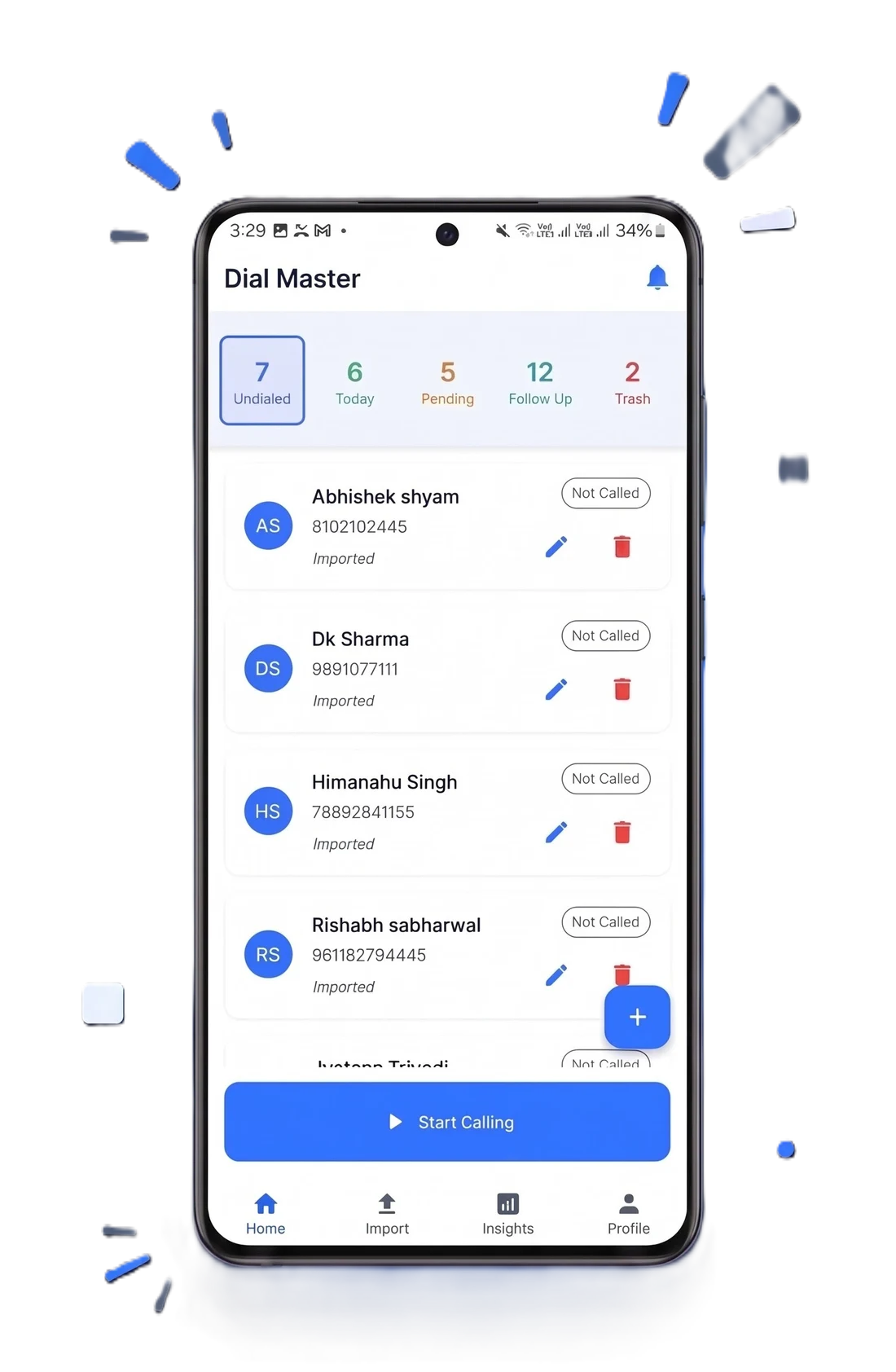
Direct answer: for a solo agent, the cheapest credible alternative to PhoneBurner, Mojo or Kixie is a mobile dialer that runs on your own SIM, because it removes the seat licence and the telephony bill at the same time. PhoneBurner publishes Standard at USD 140 per user per month billed annually. Mojo publishes a Triple Line licence at USD 139 plus USD 10 agent access. Kixie publishes no prices at all. DialMaster's free Starter plan is USD 0 with no cap on calls.
This page compares what the vendors actually publish, on the date it was read, with links so you can check each figure yourself. Where a vendor keeps its pricing behind a demo request, that is stated rather than filled in with a guess.
How to read this page: every competitor price below was taken from the vendor's own pricing page on 6 August 2026. Dialer pricing changes several times a year. If you are reading this months later, click through and re-check before you decide anything.
Why solo agents look for an alternative in the first place
PhoneBurner, Mojo and Kixie are competent products with real engineering behind them. The problem for a solo agent is not quality — it is that all three are priced for a seat in an office, and a solo agent is not that.
- The licence is fixed and your pipeline is not. A slow quarter costs the same as a good one.
- They assume a desk. Agents who work from cars, open houses and client sites are using the least convenient part of these products.
- The stack keeps growing. Dialer, then lead data, then recording, then a CRM. Each is defensible on its own and together they are a salary line.
- Number reputation is now a real cost. Carrier analytics label high-volume numbers, and a labelled number caps every downstream metric regardless of what you paid for the dialer.
Published pricing, verified 6 August 2026
The important detail here is that these products are not priced on the same axis, so headline numbers mislead. PhoneBurner charges one per-user price. Mojo charges an agent-access fee plus a dialer licence plus optional modules. Kixie does not publish anything.
| Product | Published price | Billing shape |
|---|---|---|
| PhoneBurner Standard | USD 140 / user / mo annual; USD 165 billed monthly | One per-user price |
| PhoneBurner Professional | USD 165 annual; USD 195 monthly | One per-user price |
| PhoneBurner Premium | USD 183 annual; USD 215 monthly | One per-user price |
| Mojo Agent Access | USD 10 / user | Required for every active user |
| Mojo Single Line Dialer | USD 89 / licence | Added to agent access |
| Mojo Triple Line Dialer | USD 139 / licence | Added to agent access |
| Kixie | Not published | Trial or demo request required |
| DialMaster Starter | USD 0 | Free; calls run on your own SIM |
Check them yourself: PhoneBurner pricing, Mojo pricing, Kixie pricing.
What a Mojo seat really costs once it is configured
Mojo's published list is unusually transparent, which makes it a good illustration of how these stacks assemble. A triple-line agent who wants recording and a caller ID is not paying USD 139.
| Component | Published price | Required? |
|---|---|---|
| Agent Access | USD 10 / user | Yes, per active user |
| Triple Line Dialer | USD 139 / licence | Yes, to dial |
| Mojo Voice | USD 30 / dialing agent | Optional |
| Call Recording | USD 25 / month | Optional, often mandatory in regulated sales |
| Mojo Caller ID | USD 10 | Optional |
| Lead data (FSBO, Expired, Skip Tracer, etc.) | USD 25 to USD 50 each per month | Optional, and the reason many buy Mojo |
Mojo bills month to month with no contract, which is genuinely friendlier than an annual commitment. But a configured seat lands well above the licence price, and lead data — the thing Mojo is actually best at — sits on top of all of it.
Warning about competitor comparison pages, including this one: a large share of "PhoneBurner alternative" articles quote prices no vendor page supports, and Kixie's numbers in particular are widely repeated despite Kixie publishing none. If a figure is not clickable to the vendor's own page, treat it as hearsay.
Feature comparison
| Capability | PhoneBurner | Mojo | Kixie | DialMaster |
|---|---|---|---|---|
| Multi-line dialing | Yes | Up to three lines | Up to four lines | Sequential only |
| Mobile-native workflow | Companion app | Companion app | Companion app | Android-first, phone only |
| Built-in CRM | Yes | Yes | Integrates with yours | Yes |
| Proprietary lead data | No | Yes, paid add-ons | No | No |
| US / Canada minutes | Included in plan | Unlimited on dialer licence | Unlimited, per vendor page | Your own mobile plan |
| Works with no data connection | No | No | No | Yes, calls run over cellular voice |
| Free tier | No | No | Trial only | Yes |
| Deep CRM integrations | Strong | Moderate | Strongest of the four | Webhook-based |
Note the minutes row. Earlier versions of this page claimed Kixie charged per minute on top of its licence; Kixie's own pricing page states unlimited US and Canada minutes are included in all three tiers. That correction matters more than any saving this page could claim.
Caller ID reputation: the mechanism, not the marketing
US carriers sign outbound calls under the STIR/SHAKEN framework, and the attestation level reflects how confident the originating provider is that the caller is entitled to use the number. A call placed from a consumer handset over that carrier's own network is the straightforward case: the carrier issued the number and knows the subscriber.
That is a structural difference, not a product feature anyone built. It is also not a guarantee — attestation is one input to the spam-labelling systems carriers and apps run, and a mobile number used for aggressive high-volume outbound will accumulate a reputation like any other. The framework itself is documented by the FCC, and abandoned-call limits that apply to any multi-line dialer sit in the FTC's Telemarketing Sales Rule.
The honest trade
Multi-line dialing gets you more conversations per hour. SIM-based dialing gets you a better chance of being answered and no bill. Which wins depends on whether your constraint is dials attempted or calls answered — and most solo agents have never measured which one is actually binding.
When PhoneBurner, Mojo or Kixie is still the right buy
Being straight about this is more useful than pretending one tool wins everywhere.
- You need Mojo's lead data. Expired listings, FSBO and skip tracing are the actual product for many Mojo customers. A dialer that does not sell data cannot replace it.
- You need genuine multi-line dialing. DialMaster dials sequentially. If your model depends on parallel lines, that is a hard requirement and this comparison ends there.
- You live inside HubSpot or Salesforce. Kixie's integration depth is the strongest of the four and is worth paying for if your process runs through the CRM.
- You are on iOS. DialMaster is Android-first. If your phone is an iPhone, it is not an option today.
- You run an inbound queue. None of this applies; you need a contact centre platform.
Migrating in under an hour
- Export contacts with dispositions. All three platforms support CSV export. Take dispositions, not just names and numbers — the outcome history is the valuable part.
- Export call history separately. It is usually a different export and it is the thing people discover too late that they wanted.
- Trim to name and phone for the first import. Get dialing working before you rebuild every custom field.
- Map your old dispositions to the new ones. Do this deliberately; an unmapped history becomes noise and takes your reporting baseline with it.
- Run a hundred dials on the new tool before cancelling the old one. Same time of day, same list segment, so the comparison means something.
- Compare connect rate, not feeling. One week of like-for-like data settles it either way.
- Only then cancel. Check the notice period — month-to-month and annual behave very differently here.
So which should a solo agent pick
If you need lead data or parallel lines, pay for the tool that does it and stop reading comparison pages. If you mainly need to work a list you already have, from a phone, without a licence that bills whether or not you sell anything, the free option is the rational starting point — and it costs nothing to run the week-long test that settles it.
Match the tool to the job, not to the review score
These four products win in different situations, and the situation is usually decided by what you sell and where you sell it from — not by which has the longer feature list.
| If you are… | Start with | Because |
|---|---|---|
| A listing agent working expireds and FSBOs | Mojo | The lead data is the product; the dialer is the wrapper |
| An inside sales rep living in HubSpot or Salesforce | Kixie | Integration depth beats every other consideration here |
| A desk-based SDR pushing volume through a warm list | PhoneBurner | Built precisely for that block of the day |
| A field agent calling between appointments | A mobile dialer | The laptop is the constraint, not the software |
| Testing whether outbound works for you at all | A free tier | Do not buy a seat to answer a question |
Five questions to ask on any dialer demo
Demos are optimised to show throughput. These five questions surface the things that decide whether you are still happy in month six.
- What is the notice period, and what happens to my data after it? Ask for the retention window in days. "Contact support" is not an answer.
- Can I export call history myself, today? Not contacts — history. Make them show you, in the trial.
- Are minutes included, metered, or capped? All three exist in this category and the difference is your entire variable cost.
- What is genuinely included versus an add-on? Recording and caller ID are separate line items on at least one of these platforms.
- What breaks when the internet drops? For a field agent this is the single most predictive question on the list.
Best practice: run the trial on your worst week, not your best. A dialer that holds up on a bad connection with a tired rep and a cold list is the one that will still be in use next year.
What switching does not fix
Tooling changes throughput. It does not change whether the list is right or the offer lands, and a switch made for the wrong reason usually gets blamed on the new tool.
- A bad list. More dials into the wrong segment produces more rejection, faster.
- No follow-up discipline. Every one of these products schedules callbacks. None of them make the call for you.
- An unclear offer. If conversations are not converting, the constraint is upstream of the dialer entirely.
Diagnose which of the two numbers is actually failing before you migrate: see improving connect rates and pipeline management.
More: PhoneBurner alternative, all comparisons, TCPA and STIR/SHAKEN, mobile-first dialing for solar and mortgage, the field sales playbook, pricing, and the free plan.
Stop manually dialing. Start closing.
Install DialMaster on your Android device and dial your first list in under five minutes. Free forever, no credit card, no VoIP bill — and your leads never leave your phone.