How to Auto-Dial Meta, Google, and LinkedIn Leads Instantly
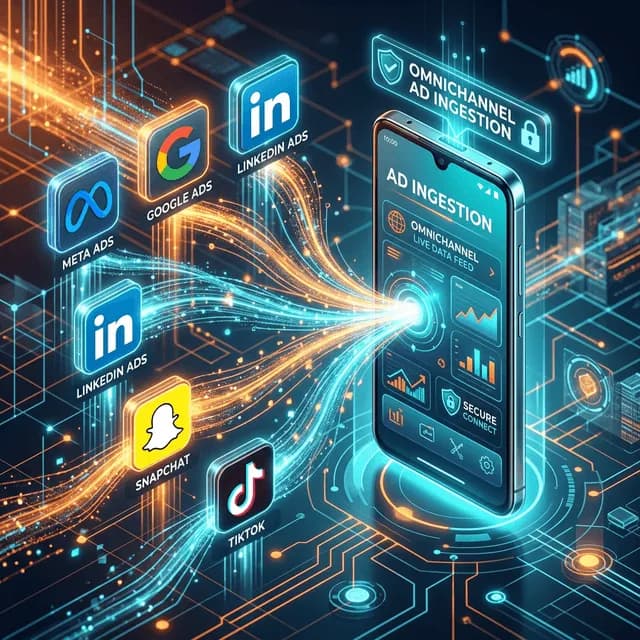
Learn how to natively ingest CSVs, Excel files, and direct Webhooks from 10+ major ad platforms into DialMaster, eliminating data decay.
TL;DR
Direct answer: There are three ways to get Meta, Google or LinkedIn leads into a dialer: a CSV export, a spreadsheet upload, or a webhook that delivers each lead the moment the form is submitted. Only the webhook avoids lead decay — a paid lead loses value with every hour it sits unworked in a download folder.
If you run paid digital advertising for lead generation, you are fighting a constant battle against lead decay. In modern performance marketing, leads degrade in value exponentially for every minute they are not contacted. A user who fills out a Lead Gen form on Facebook at 10:00 AM has high intent. By 2:00 PM, that intent has nosedived. They've forgotten your brand name, clicked three other ads, and moved on.
Omnichannel Ad Ingestion is the ability of a CRM to accept inbound prospect data from a massive variety of external lead generation sources simultaneously, securely, and instantly. This guide breaks down exactly how to route your leads from Meta, Google, and LinkedIn directly into your mobile auto-dialer, so response times are measured in minutes rather than hours.
The Platform Fragmentation Problem
Any media buyer, performance marketer, or inside sales director running cross-channel campaigns suffers from "platform fragmentation." Extracting leads from 6 different manager portals is a logistical nightmare. It looks like this:
- Downloading a CSV from Meta Ads Manager.
- Logging into Google Ads to download Lead Form Extension data.
- Checking LinkedIn Campaign Manager for B2B leads.
- Exporting portal inquiries from MagicBricks, JustDial, or Indiamart.
Combining these disparate formats into a single spreadsheet, deduplicating them, and distributing them to callers takes hours. By the time the agent dials, the lead is cold.
The 3 Tiers of Lead Ingestion
To solve fragmentation, a modern Auto Dialer CRM must offer three distinct tiers of data mapping directly into its architecture:
Tier 1: Live Connections (Seconds, Not Hours)
A live connection delivers each lead as it is submitted, with no export in between. DialMaster has two kinds: Meta and LinkedIn connect by signing in from the app, and platforms such as Google Ads, TikTok and Snapchat take your personal DialMaster webhook URL.
The lead's name, phone number and email are pulled from the form, duplicates are filtered out, and your phone gets a notification: "A new lead just came in from Facebook. Tap to import and call." One tap puts the lead in your call queue, so you can be speaking to the prospect while they still remember filling in the form.
Tier 2: Secure CSV & Excel Uploads (For Legacy Data)
Not every lead comes from a live connection. For legacy databases, trade show attendee lists, or raw data buys, you need robust local file parsing. DialMaster reads .csv and .xlsx files on the phone itself: select the "Phone" and "Name" columns and the rows join your call queue, 100 new contacts per import.
Tier 3: Direct Paste Data (For Quick Scrapes)
Sometimes a partner sends you 20 numbers on WhatsApp, or you copy a quick list from a raw text document. DialMaster allows you to simply copy the block of unstructured text and paste it into the raw import window. The app's regex engine automatically finds the valid phone numbers and queues them for dialing.
Step-by-Step: Connecting Meta (Facebook/Instagram) Leads
Meta connects by signing in, so there is no webhook to configure and no Zapier account in the path:
- Create your lead form: In Meta Business Suite, go to All Tools > Instant Forms and create the form your ad will use.
- Tap Connect under Meta: On DialMaster's lead integrations screen, tap Connect and log in to Facebook.
- Authorise access: Allow DialMaster to read your Pages and their leads.
- Check the status: Once the connection turns green, every new lead from your Facebook and Instagram lead ads arrives on your phone as a notification.
- Test: Use the Facebook Lead Ads Testing Tool to send a dummy lead before the campaign spends money.
Step-by-Step: Connecting Google Search Leads
For high-intent Google Search campaigns using lead forms:
- Copy your webhook URL: On DialMaster's lead integrations screen, copy your personal webhook URL.
- Open your lead form in Google Ads: Edit the lead form attached to your campaign.
- Choose webhook delivery: In the lead delivery settings, select the webhook integration.
- Paste the URL and a key: Paste your DialMaster URL. Google also asks for a key, and any value works.
- Send test data: Google sends a test lead to verify the URL. Confirm it reaches your Android phone.
Why the CSV round-trip costs more than it looks like it does
The manual path — download from the ad platform, email it on, merge into a sheet, split by agent — takes maybe twenty minutes of someone's day. That is not the cost. The cost is the four hours of decay between the form submission and the first dial, applied to every lead in the batch.
Paid leads are the most expensive contacts a business buys. Letting them cool in a spreadsheet is the equivalent of paying full price for produce and leaving it in the car. The arithmetic gets worse the more you spend on ads, which is why the teams with the largest budgets usually feel this most sharply.
The three fields that actually matter at import
Ad platforms will hand you a dozen columns. Almost all of them are useful later and harmful now.
- Phone number. Non-negotiable, and the only one the dialer strictly needs.
- Name. Opening a call with the right name is worth more than any other single field.
- Source or campaign tag. Not needed to place the call, essential to know which channel is worth the spend.
Everything else — email, city, custom form answers, UTM parameters — belongs in the note you take during the call, not in the import. Extra columns slow the parse and clutter the dial screen at the exact moment you need it clean.
Connecting TikTok, Snapchat, LinkedIn and your own forms
- Copy your DialMaster webhook URL. It is personal to your account, and one URL serves every webhook source.
- TikTok: register the URL as the webhook callback of a TikTok developer app, subscribe to lead form submissions, then link your advertiser account.
- Snapchat: send each lead to the URL as JSON with
full_name,phone,emailand asourcelabel. - LinkedIn: tap Connect under LinkedIn in the app and sign in. If the status reads "Account Linked", LinkedIn has not switched lead delivery on yet. Until it does, route the forms through Zapier or Make to the same webhook URL.
- Your own forms: Typeform, JotForm, HubSpot Forms and WordPress/Gravity Forms all accept the URL as a webhook. That also covers Reddit and X ads, which now send traffic to a page you own rather than to a native lead form.
- Confirm it lands on the agent's phone. A lead in a dashboard nobody has open is the same as a lead in a spreadsheet.
The full list of sources and how each one connects is on the lead ads integration page.
Instrument one number
Median minutes from form submission to first dial attempt. Almost nobody measures it, which is exactly why improving it is available to you. Halving that figure usually moves connect rate more than any script change.
Cost Per Lead Is Not Cost Per Conversation
Ad platforms report what a lead cost to acquire. What actually determines return is what it cost to have a conversation, and the gap between the two is entirely made of leads nobody reached.
| Reported | What it hides | The number to watch |
|---|---|---|
| Cost per lead | Leads that were never called | Cost per contacted lead |
| Lead volume | Duplicates across campaigns | Unique contactable numbers |
| Form completion rate | Wrong or mistyped numbers | Share of leads that are reachable |
| Campaign spend | Delay between submit and first dial | Median time to first contact |
Work the right column and the economics change without touching the ad account. A campaign at a high cost per lead where nearly every lead gets a conversation frequently outperforms a cheap campaign where a third are never dialled — and the platform dashboard will tell you the opposite, because it cannot see what happened after the form was submitted. Instrument the gap yourself and you will usually find the cheapest campaign is not the one producing the most conversations, which is the only comparison that pays for itself. Once you can see cost per contacted lead next to cost per lead, most budget arguments answer themselves and the ones that do not are usually about attribution rather than about spend.
What breaks in practice, and how you find out
Webhook integrations fail quietly. There is no error message when leads stop arriving, only an unusually calm morning.
- Token expiry. Ad platform access tokens expire. For Meta and LinkedIn, DialMaster sends a "needs reconnecting" notification. For webhook sources, the weekly count below is how you notice.
- Form field renamed. Someone edits the lead form, the phone field changes name, mapping breaks silently.
- Page permissions changed. A staff change in Business Manager can revoke lead access without warning.
The defence is boring and effective: check the arrival count against ad-platform reported leads once a week. A five-minute reconciliation catches in days what otherwise surfaces after a month of wasted spend.
Related: every supported lead source, the wider ingestion picture, and what to do once the lead arrives.
Conclusion: The Competitive Advantage of Speed
By bypassing the "download CSV -> email to agent -> agent manually dials" workflow, you fundamentally restructure your sales motion. When the lead reaches the phone in seconds and dialing is automated, you connect with prospects while their intent is highest. In competitive markets like real estate, insurance, and SaaS, the first vendor to make voice contact usually gets the conversation. Instant lead ingestion makes it far more likely that vendor is you.
Stop manually dialing. Start closing.
Install DialMaster on your Android device and dial your first list in under five minutes. Free forever, no credit card, no VoIP bill — and your leads never leave your phone.