CRM with Auto Dialer, Notes & Alarms (2026)
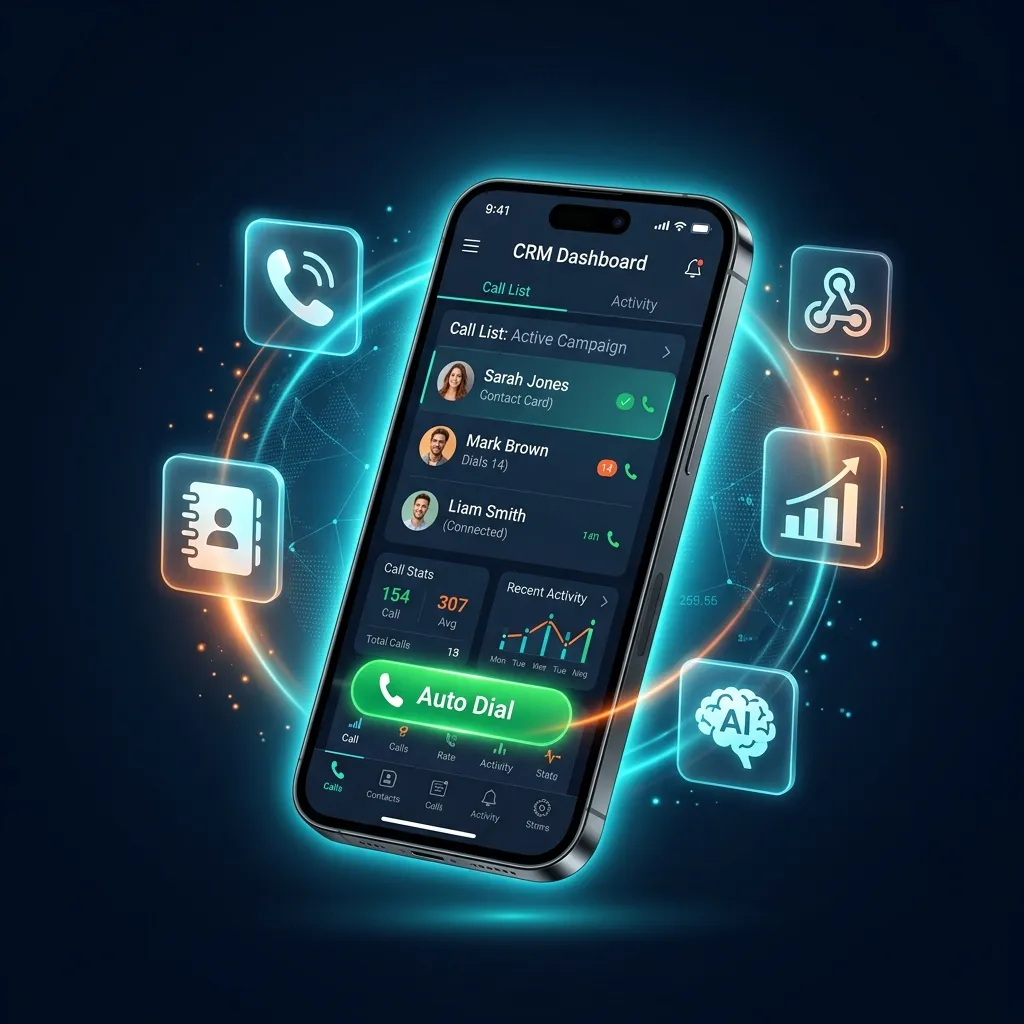
Learn how a CRM with built-in auto dialer, call notes, alarm reminders, and push notifications eliminates missed follow-ups and boosts conversions.
TL;DR
Direct answer: A CRM with a built-in auto dialer, notes and alarms closes the gap where follow-ups get lost. The dialer places the call, the note is captured at hang-up while the conversation is still fresh, and the alarm fires at the time you promised — so “call back Thursday at 3” actually happens instead of being remembered on Friday.
Every outbound sales team lives and dies by one metric: follow-up consistency. You can make 200 calls a day, but if you forget to call that "interested" lead back on Thursday at 3 PM, the deal dies silently. The solution isn't discipline — it's architecture. A CRM with auto dialer, notes, alarms, and notifications structurally eliminates missed follow-ups by embedding reminders directly into the calling workflow.
In this comprehensive guide, we break down exactly why these four features — auto dialing, call notes, alarm reminders, and push notifications — must exist in a single platform, how they work together to create a zero-leakage sales pipeline, and why DialMaster is the only mobile-first CRM that delivers all four natively on your Android phone.
Why Do You Need Notes, Alarms & Notifications in Your Auto Dialer CRM?
Consider a typical day for a sales agent making 150 outbound calls:
- Call #23: Prospect says "I'm interested but call me after 5 PM on Friday."
- Call #47: Decision-maker is in a meeting. Secretary says try again at 11 AM tomorrow.
- Call #89: Prospect wants a pricing comparison before committing. Needs follow-up in 3 days.
- Call #112: Hot lead. Asked for a WhatsApp message with product details first.
By the end of 150 calls, the agent has accumulated 15–25 follow-up obligations, each with a specific date, time, and context. Without structured notes and alarm reminders, these obligations exist only in the agent's memory — or worse, on scattered sticky notes and disconnected spreadsheets.
Research from InsideSales.com shows that 80% of sales require 5 or more follow-up calls after the initial contact, yet 44% of salespeople give up after just one follow-up. The gap isn't motivation — it's tooling. A CRM with built-in alarm notifications bridges this gap permanently.
Feature 1: In-Call Notes — Capturing Context That Closes Deals
The ability to attach rich text notes to every lead record during or immediately after a call is the single most underrated CRM feature. Here's why it matters:
What Are CRM Call Notes?
Call notes are structured or freeform text entries attached to a specific lead contact inside your CRM. When done correctly, they capture:
- Conversation summary: What the prospect said, objections raised, questions asked
- Action items: What the agent promised to do (send brochure, call back at specific time)
- Qualification signals: Budget discussed, timeline mentioned, decision-maker identified
- Personal context: "Has a daughter getting married in June — don't call that week"
Why Most CRMs Fail at Notes
The problem with traditional desktop CRMs like Salesforce or HubSpot is the "Air Gap" — the agent makes the call on their phone but must switch to a laptop or tablet to type notes into the CRM. This context-switch introduces friction, and friction produces abandonment. Studies show that CRM data entry compliance drops below 40% when agents must switch devices to log information.
DialMaster eliminates this entirely. Because the auto dialer and CRM live on the same Android device, the agent can type notes during the call — while still on the phone — or immediately after the call ends during the forced disposition logging screen. Zero air gap. 100% note compliance.
Feature 2: Alarm Reminders — Never Miss a Callback Again
An alarm reminder in a CRM context is a scheduled notification tied to a specific lead record that fires at a predetermined date and time, alerting the agent to take action — typically a follow-up call or a task completion.
How CRM Alarm Reminders Work
- Set During Disposition: When an agent marks a call as "Call Back," the CRM prompts them to select a date and time for the follow-up.
- Stored in the Lead Record: The reminder is permanently attached to that specific lead — not floating in a general calendar.
- Fires as a Push Notification: At the scheduled time, the agent's phone displays a notification with the lead's name, phone number, and the notes from the previous call.
- One-Tap Action: Tapping the notification opens the lead's full record and initiates the call immediately — zero searching, zero friction.
Alarm vs. Calendar Event: What's the Difference?
A Google Calendar reminder tells you "Call Priya at 3 PM." But it doesn't tell you:
- Why you're calling Priya
- What she said in the last conversation
- What her current pipeline stage is
- Her phone number (without searching contacts)
A CRM alarm reminder bundles all of this context into a single notification. It doesn't just remind you — it prepares you. This is the fundamental difference between a generic reminder tool and a purpose-built sales notification system.
Feature 3: Push Notifications — The Follow-Up Engine That Never Sleeps
Push notifications are the delivery mechanism that makes alarms actionable. In the context of a CRM with auto dialer, notifications serve multiple purposes:
Types of CRM Notifications
| Notification Type | Trigger | Example |
|---|---|---|
| Follow-Up Alarm | Scheduled date/time reached | "Call Raj back at 3 PM — interested in premium plan" |
| New Lead Alert | Webhook from ad platform | "New lead from Facebook Ads: Anil ($5K budget)" |
| Task Overdue | Missed follow-up deadline | "Overdue: You were supposed to call Meera yesterday" |
| Pipeline Stage Change | Lead moved by team member | "Lead 'Sharma Industries' moved to Negotiation stage" |
| Daily Digest | Morning schedule | "You have 8 follow-ups scheduled today" |
The most critical notification type for sales productivity is the Follow-Up Alarm. When an agent sets a callback for "Thursday 3 PM" and actually receives a push notification on Thursday at 2:55 PM with the lead's full context, the follow-up completion rate jumps from under 40% to over 90%. That's the difference between a leaky pipeline and a conversion machine.
Feature 4: Auto Dialer — The Speed Layer
Notes, alarms, and notifications are the memory of your sales operation. The auto dialer is the muscle. Together, they create an unstoppable workflow:
- Morning: Agent opens DialMaster. A push notification shows "12 follow-ups scheduled today."
- Priority Queue: The CRM auto-sorts today's callbacks by time, showing the most urgent first.
- Context Loaded: Before dialing, the agent reads the notes from the last call: "Interested in enterprise plan. Wants comparison with JustCall."
- One-Tap Dial: The auto dialer initiates the call using the agent's SIM card — $0 calling cost, no spam flags.
- Post-Call: Agent updates the note ("Agreed to purchase, sending contract"), sets a new alarm ("Follow up in 2 days if no reply"), and the dialer automatically queues the next callback.
This tight loop — Notify → Prepare → Call → Note → Alarm → Repeat — is the operational backbone of every high-performing outbound team. Read our complete What is an Auto Dialer CRM? guide for a deeper technical breakdown.
How DialMaster Combines All Four Features in One Mobile App
Most CRMs bolt these features on as afterthoughts. DialMaster was designed from the ground up with notes, alarms, and notifications as first-class citizens of the calling workflow:
- Inline Note Editor: Type or paste notes directly on the lead card while the call is active. Notes persist across calls and are visible on every future interaction.
- Smart Follow-Up Scheduling: When you set a disposition of "Call Back," the app presents a date-time picker. The selected time is stored in the lead record and fires as a native Android push notification.
- Notification Center: All upcoming follow-ups, overdue tasks, and new webhook leads appear in a unified notification feed — no switching between apps.
- SIM-Based Auto Dialer: Calls are placed using your actual SIM card, avoiding VOIP spam flags and per-minute charges. Total calling cost: $0.
- Offline Persistence: Notes and alarms work even when your phone has no internet. Data syncs automatically when connectivity returns.
- Privacy-First Architecture: All notes and lead data stay on your device with zero data retention on our servers.
CRM with Auto Dialer & Reminder Features: Comparison Table (2026)
How does DialMaster stack up against other popular CRMs that offer auto dialing with notes and reminder features?
| Feature | DialMaster | Kixie | Close CRM | PhoneBurner |
|---|---|---|---|---|
| In-Call Notes | Native | Yes | Yes | Yes |
| Alarm Reminders | Push + In-App | In-App | In-App | Email only |
| Push Notifications | Native Android | Browser only | Browser only | Email only |
| Calling Method | SIM (free) | VOIP ($$$) | VOIP ($$$) | VOIP ($$$) |
| Works Offline | Yes | No | No | No |
| Mobile-First | Android Native | Desktop | Desktop | Desktop |
| Free Plan | Calls not capped | No | No | No |
| Price (Paid) | From $6/mo | $35/mo | $59/mo | $149/mo |
For a more detailed head-to-head analysis, read our DialMaster vs PhoneBurner and DialMaster vs JustCall comparisons.
Industries That Benefit Most from Notes, Alarms & Auto Dialer CRM
Real Estate Agents
A broker managing 200+ property inquiries per week needs CRM notes to track which properties each lead viewed, alarm reminders for scheduled site visits, and auto-dialing to blast through new inquiry lists the same day they arrive. See our Real Estate solution →
Insurance Advisors
Insurance is a follow-up game. Policy renewals, premium due dates, and upsell windows all require precisely timed alarms. Notes capture which policy the client discussed, what objections they raised, and what premium bracket they qualify for. See our Insurance solution →
EdTech & Admissions Counselors
During admission season, counselors handle thousands of student inquiries. Notes track course preferences and eligibility. Alarm reminders ensure follow-ups happen before the application deadline. The auto dialer eliminates manual dialing across massive student databases. See our EdTech solution →
BPO & Call Centers
Large teams require centralized note-taking and supervisor visibility into follow-up compliance. Alarm-driven notifications ensure SLA timelines are met. Auto-dialing maximizes agent utilization across shifts. See our BPO solution →
Step-by-Step: Setting Up Notes, Alarms & Notifications in DialMaster
- Download DialMaster from the Google Play Store — it's free, calls are uncapped, and importing is unlimited — one short ad per import.
- Import your leads via CSV upload, direct paste, or connect your Facebook/Google Ads webhook for real-time lead ingestion.
- Start auto-dialing — tap the play button and DialMaster cycles through your list automatically.
- Add notes during calls — the inline note editor is visible during every active call. Type your conversation summary in real time.
- Set follow-up alarms — when you mark a call as "Call Back," select the date and time. DialMaster creates a push notification alarm automatically.
- Receive push notifications — at the scheduled time, your phone alerts you with the lead's name, number, and your previous notes. One tap to call.
- Track your ROI — use our free Telemarketing ROI Calculator to measure the financial impact of your improved follow-up rate.
Frequently Asked Questions
What is the best CRM with auto dialer and reminders?
For mobile-first teams, DialMaster is the best CRM with auto dialer and reminders because it combines SIM-based calling ($0 cost), inline call notes, alarm-based follow-up reminders with push notifications, and offline functionality — all in a single Android app with a free forever plan. For desktop-first teams with larger budgets, Close CRM and Kixie are solid alternatives.
Can I set alarm reminders for follow-up calls in a CRM?
Yes. Modern CRM platforms allow you to attach date-and-time reminders to specific lead records. When the alarm fires, the agent receives a notification — either as a push notification (DialMaster), email (PhoneBurner), or browser alert (Close CRM). The key advantage of push notifications is that they work even when the app isn't open, ensuring no follow-up is missed.
How do call notes improve sales performance?
Call notes create institutional memory. When an agent calls a prospect for the second or third time and references details from the previous conversation — "You mentioned your team was evaluating options after the Q2 board meeting" — the prospect feels heard and valued. This personalization directly increases trust and conversion rates. Without notes, every follow-up call starts from zero.
Do auto dialers support push notifications for follow-ups?
Most desktop-based auto dialers (like JustCall, Kixie, PhoneBurner) rely on email or browser notifications, which are easily missed. DialMaster is one of the few auto dialer CRMs that delivers native Android push notifications — the same type used by WhatsApp and text messages — ensuring near-100% visibility.
Is there a free CRM with auto dialer, notes, and alarms?
Yes. DialMaster's Free Forever plan includes uncapped calling over your own SIM, full CRM with notes, alarm reminders with push notifications, and unlimited CSV lead imports — one short rewarded ad per import — all at $0. No credit card required. See full pricing details →
What is the difference between a CRM reminder and a calendar event?
A calendar event (Google Calendar, Outlook) is a standalone time block with no connection to your lead data. A CRM reminder is tied directly to a lead record — it includes the contact's name, phone number, pipeline stage, and your previous call notes. When the reminder fires, one tap takes you to the full lead profile ready to dial. Calendar events require you to manually search for the contact information.
How many follow-up reminders can I set in an auto dialer CRM?
In DialMaster, there is no limit on the number of follow-up reminders you can set. Every lead in your pipeline can have an active alarm. The notification system handles hundreds of scheduled reminders simultaneously, organized chronologically in your daily task queue.
Can I use auto dialer CRM notifications offline?
DialMaster's alarm reminders work offline. Because reminders are stored locally on your Android device using native alarm APIs, notifications fire even without internet connectivity. Notes and disposition data are also cached locally and sync to the cloud when connectivity returns. This makes DialMaster ideal for field agents working in areas with inconsistent network coverage.
The Bottom Line: Your CRM Should Remember So You Don't Have To
The difference between a 10% conversion rate and a 25% conversion rate often isn't the pitch — it's the follow-up. A CRM with auto dialer, notes, alarms, and notifications transforms follow-up from a manual, error-prone discipline exercise into an automated, zero-leakage system.
DialMaster is the only mobile-first CRM that delivers all four capabilities natively: SIM-based auto dialing at $0 cost, inline call notes, alarm-driven follow-up reminders, and native Android push notifications — all wrapped in a free forever plan with no ads and no credit card.
Stop losing deals to forgotten callbacks. Download DialMaster free today and turn your phone into a follow-up machine.
Related reading: What is an Auto Dialer CRM? · Free Forever Plan · Best Auto Dialer Apps for Android · DialMaster vs JustCall · DialMaster vs PhoneBurner
Stop manually dialing. Start closing.
Install DialMaster on your Android device and dial your first list in under five minutes. Free forever, no credit card, no VoIP bill — and your leads never leave your phone.